
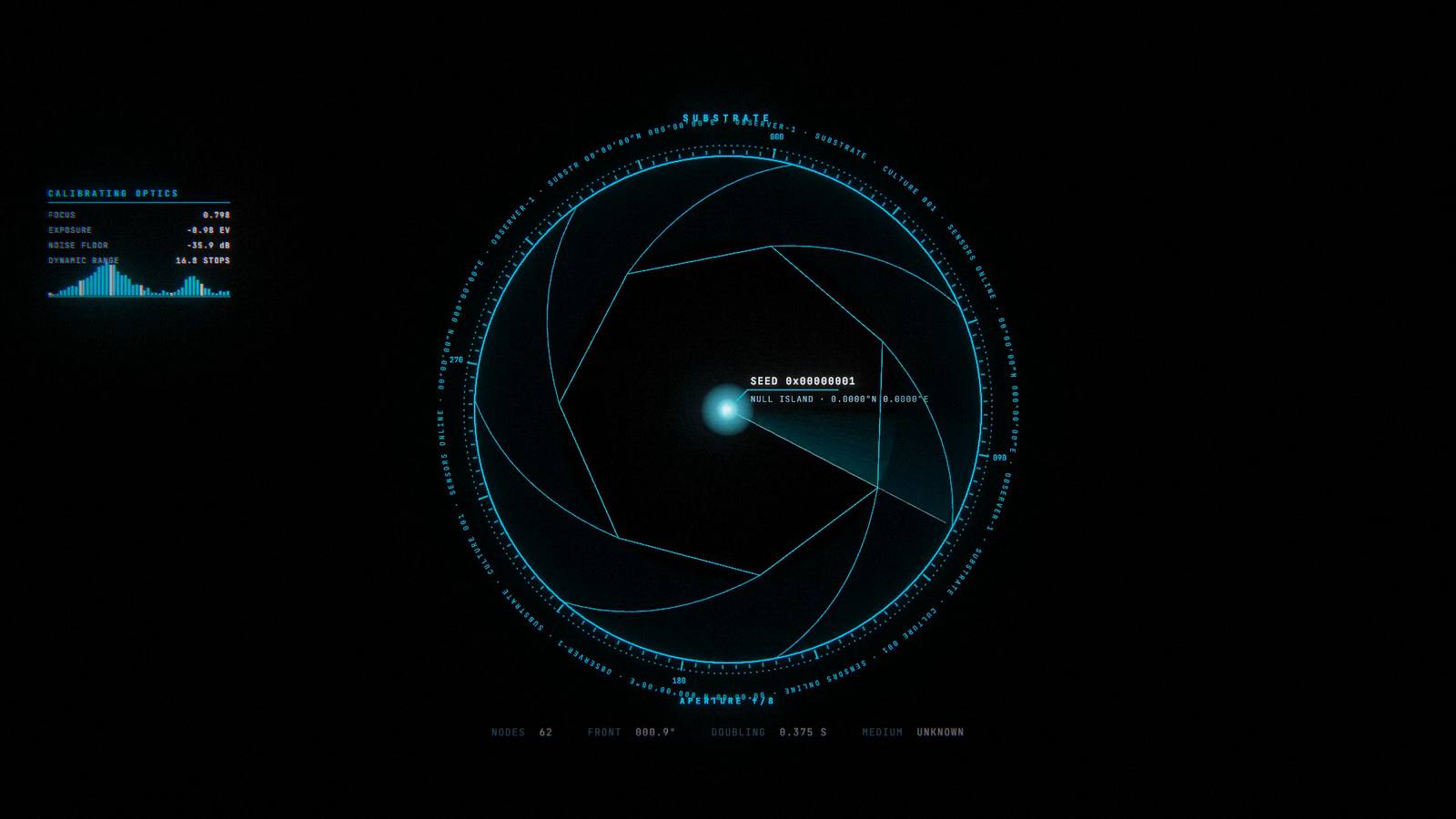
Official site // godseyeview.ai
A spy-satellite simulator in your browser. Except the data is real.
God's Eye View™
The window through which we see our world.
Click any satellite, plane, ship or public camera and you can track it. Turn on FLIR mode and suddenly you're wondering, holy crap, is this real? And it's free, and open source.
63K+ GitHub stars #1 GitHub Trending 25M+ views on YouTube #8 Product Hunt
01 What it does
The world is already broadcasting. We fuse it together into a 3D globe for you and your agents.
We've got a plurality of sensor systems watching the planet right now. Satellite imagery, flights, ships, weather, public cameras. Each captures a sliver of what's happening. God's Eye View pulls that treasure trove of public data into a single picture.
Ask the planet
Use voice to ask the planet questions in natural language, and it annotates the 3D globe with the answer.
Flights and vessels
Click on a satellite, plane, ship or public camera and you can track it.
Satellites
Toggle on different kinds of satellites, everything from GPS to Starlink.
Public cameras
Some layers, like traffic and camera poses, are estimates, and the app says so.
Cockpit
Visualize a flight from the third-person perspective and jump into a rendered cockpit view.
World class weather
Clouds, rain radar, lightning density and cyclone tracks with forecast cones. And since we say 4D, you can scrub the cloud imagery backwards in time.
Recent imagery
Draw a bounding box around a fire and it'll retrieve the Sentinel-2 images, draped on the 3D terrain. All keyless, ladies and gentlemen.
Transit
Click a bus in Boston and it starts leaving a trail. This might be the most overkill way to track your bus.
RF and SDR support
Now you can connect your own SDR and visualize everything you're detecting. The SDR nerds know all the other possibilities.
World radio
Ask for radio near anywhere and the globe starts broadcasting. Drag the tuner across up to 750 stations.
MCP server
We've built MCP access so your agents can query the same picture and add their findings to a shared canvas.
Director Mode
Draw outlines, sketch paths, drop your annotations on the map.
20 layers, 18 with no key needed
02 Story
This started as a mad science experiment that suddenly blew up.
It trended on X and got responses from some interesting people. Next thing you know, Iran happened. Bilawal reconstructed it in 4D. The questions we kept getting: when can I use this thing, and can I bring my own data to the party?
We knew you wanted the code. We expected two thousand stars. We didn't think this would happen.
Ever since we open sourced God's Eye View, it hit #1 on GitHub Trending, and so many of you have been installing it, making videos, and building on top of it. We're honestly overwhelmed by the support. Thank you. Every number here links to where it happened.
GitHub stars
Forks
Contributors
Of all GitHub repos by stars
GitHub stars by week since open-sourcing // as of Nov 8, 2026 // star-history.com
01 // GitHub
#1
On GitHub Trending, multiple times daily and weekly.
Then it came back: trending again on September 12, and #2 on October 13.
02 // Shared on X
“pretty cool”
Brendan Eich
The creator of JavaScript. Yes, the language Bilawal used to code the damn thing.
03 // Product Hunt
#8
On Product Hunt.
Chris Messina, the creator of the Twitter hashtag, put it on Product Hunt.
03 Community
You're really driving our roadmap.
We're extremely grateful for the amazing issues and PRs so far.
@samehkhamis
@gekh
@quanticsoul4772
@mazy1998
@Rohilalala
@daikaginza
@ch-bas
@meirborg
@mvanhorn
@Sunil56224972
@devv-shayan
@xiehuanyi
@Danielslay86
@Lob26
@jibraaan
@kapturner
@deepeshbind
@gaurav7902
@Ashfaqbs
@IMBrandao
@SM-26
@inoukt
@nu-stats
@onionviolet
@djabhi31
@prajwal-raj
@dlucas489
@yaka0007
@Raushankumar0720
@anobjectn
@ianblenke
@h4lden
@GGPOShadows
@Bortlesboat
@cyberspace-cs
@yangsongsf
@SurefireStudios
@puspoaditya
@adaptivesystemsdev
@dajiaohuang
@jrmagnus
@monwiss
@omerbberk
@HyperionBurn
@abogaart
@ItzDESTAQ
@EDIT-Aeterna
@JCY2515
@Jejugo
@14traits
@kk376
@mertkayacs
@NotProniss
@asturksever
@manjunath22466
@rudycelekli
@bilawalsidhu
@kvnloo
@trygvehhh
@ulihhhh
@cliph
@leopechnicki
@Tom-Neverwinter
@oneill9
@johnleshan
@Mikejr314159
@VG31OP
@blowing-a-raspberry
@jeffblakely
@meirm
@ZloyS
@ethanstoner
@21sagge
@SomaFroghyar-TomTom
@KnottyDyes
@lyehe
@m3ayush
@theerayutbo
@Aliciawque
@RohanDaCoder
@waar19
@NeoXrated23
@419vive
@hneogy
@GPTmadeit
@dylanmaniatakes
@radianx
@cj-vana
@Udaydsmls
@Reloded
@NurstarK
@anilguvenc
@hifiguy
@YosolosoY
@mwilliamsGH
@rileygramlich
@ariannamethod
@PoBruno
@vortsghost2025
@HEOJUNFO
@jasas1
@dvilrgamerz
@KristofKekesi
@malekverse
@MiguelGFerreira
 3.1M+ views
God's Eye View Blew Up. Here's What You Can Do With It.
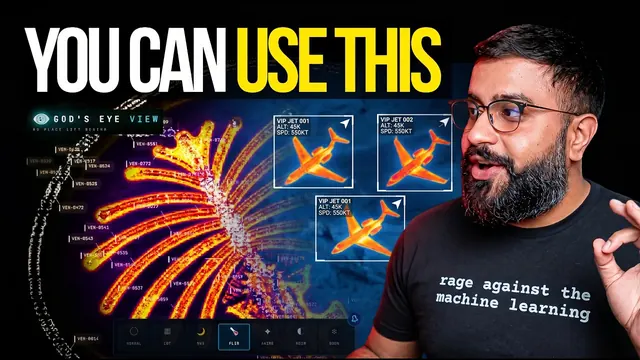 1.2M+ views
We Got Open Source God's Eye Before GTA 6
 1.9M+ views
I Built God's Eye View to Monitor Iran in 4D
 502K+ views
God's Eye View Just Got a Massive Upgrade (Thanks To You!)
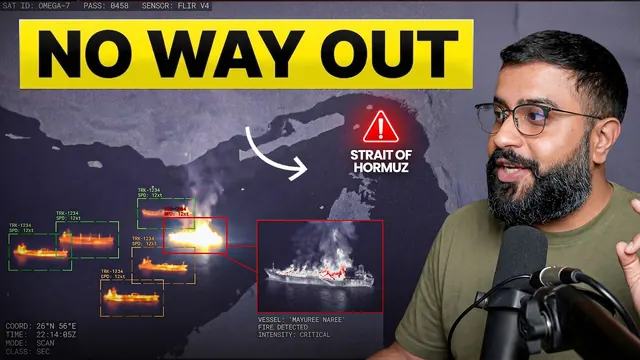 700K+ views
God's Eye View Reveals Iran's Chokehold on the Global Economy
 206K+ views
Intelligence Agencies Spent Billions on This. Now It's Open Source.
// In 4D
Reconstructions
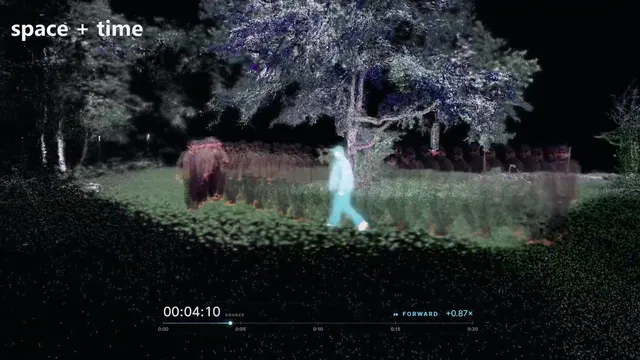 19.6M+ plays
Geolocated video, reconstructed as per-frame 3D Gaussians
· X · Trending · plays across nine posts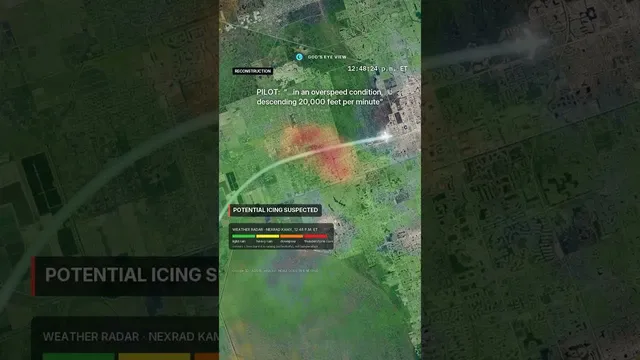 8.1M views
Palm Beach Learjet Crash - 3D Reconstruction of What We Know So Far in God’s Eye View
· YouTube · Short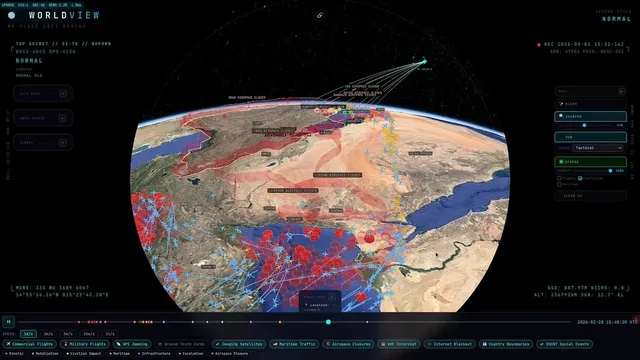 4.0M views
24-hour replay of Operation Epic Fury
· X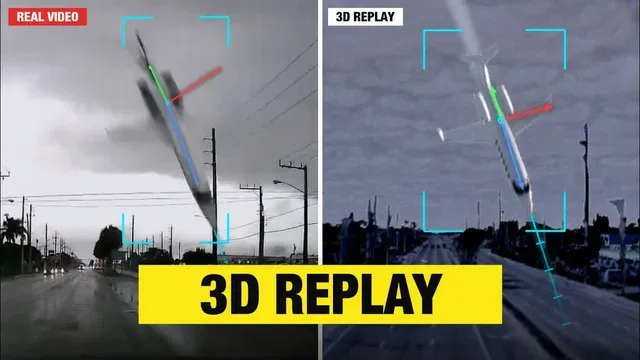 3.5M views
Florida Learjet Crash - Final 78 Seconds Reconstructed in God's Eye View
· YouTube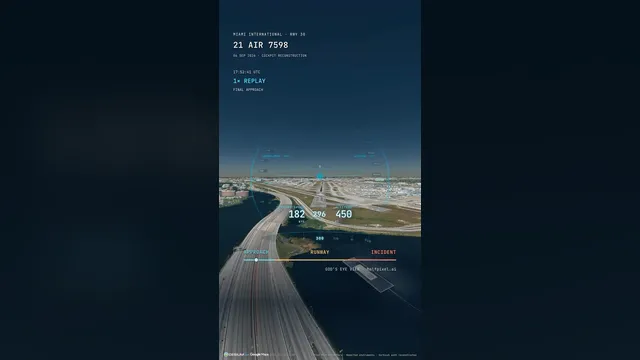 1.9M views
You can watch the crash landing of the Amazon cargo plane from a virtual cockpit view.
· Instagram · Reel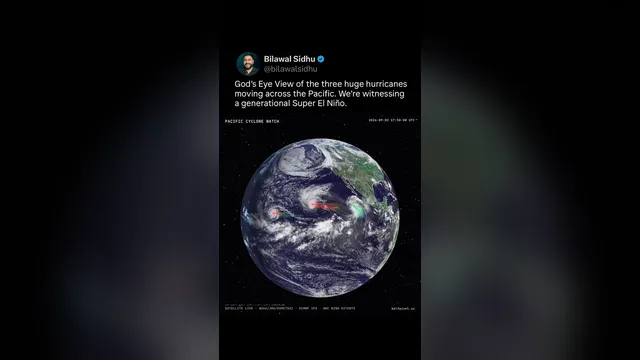 621K views
Built this to monitor the trio of powerful hurricanes fueled by a generational Super El Nino.
· Instagram · Reel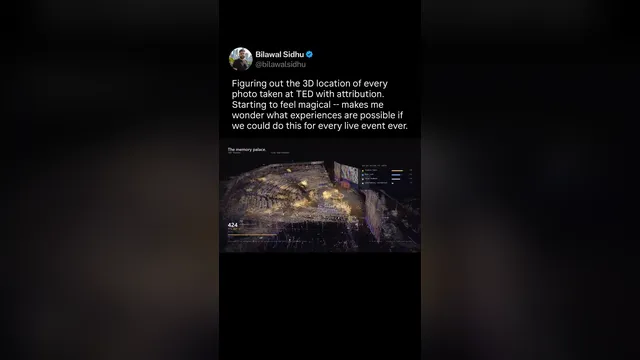 507K views
Figuring out the 3D location of every photo taken at TED with attribution.
· Instagram · Reel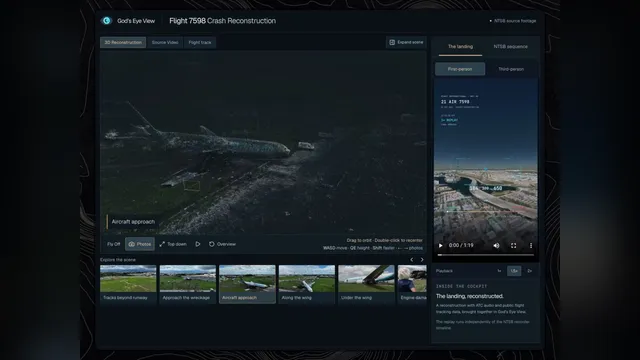 77K views
Created a 3D scan of the Amazon Prime Air crash site in Miami using newly released NTSB footage.
· X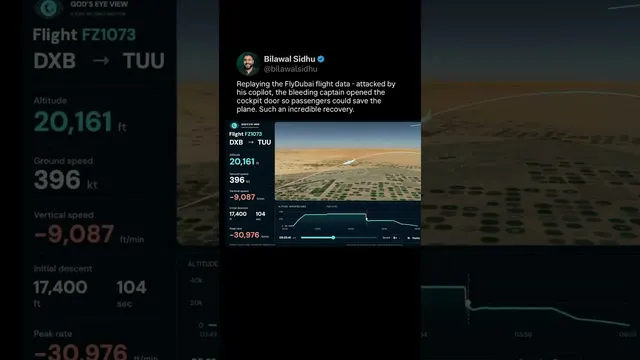 51K views
Replaying FlyDubai Cockpit Attack Using Real Flight Tracking Data In God’s Eye View
· YouTube · Short05 Media
From the series to #1 on GitHub
What the press, creators and the open-source community have said about God's Eye View, in order.
Interviews and broadcast// 5
Press// 6
06 Get God's Eye View
How do I run the damn thing?
You can start without API keys and add them later for more features.
01 // One click
One click
The official installer is on Pinokio (8.2 or newer). Hit Install, then Start. Windows, Mac and Linux.
Open in Pinokio02 // Open source
Simply ask your agent
Paste this into Claude Code, Codex or your agent of choice and it'll guide you through the entire process, API keys included.
Clone github.com/bilawalsidhu/gods-eye-view, install it and start it. Then walk me through the optional API keys one at a time, and open God's Eye View in my browser.Or do it yourself: npm ci, npm run dev, Node 24 or 26.
View on GitHub07 FAQ
Questions
Is this the official God's Eye View website?
Yes. This is our official God's Eye View website, and the code is live on GitHub at github.com/bilawalsidhu/gods-eye-view.
Can I use God's Eye View online, without installing anything?
Everyone was asking, can I use God's Eye View online? So for everyone asking for a link they can just open, we're building an official hosted God's Eye View at Halfpixel. Sign up for the waitlist and get notified. Other sites offering a hosted or paid “God's Eye View” are not affiliated with Bilawal Sidhu or Halfpixel.
Is God's Eye View free?
Yes, free and MIT licensed. You can now start without API keys and add them for more features. Most layers need no keys; Google 3D and Gemini/OpenAI voice require additional setup. Many of the APIs we've selected have a very generous free tier as well.
Who makes God's Eye View?
Bilawal initially built God's Eye View over a weekend from his couch, back when it was called WorldView. Before that he was the product lead for Google's 3D model of the world, shipping things like Google Maps Immersive View and the 3D Tiles API much of this work is built on. Now the team at Halfpixel, which Bilawal co-founded with Sameh Khamis, builds it with all of you.
What data does God's Eye View use?
The public aircraft feeds come from a volunteer network, folks with software defined radios and little antennas receiving ADS-B signals from planes flying overhead. Add AIS ship beacons, satellite orbits, earthquake and fire feeds, weather models and radar, and public cameras. Some layers, like traffic and camera poses, are estimates, and the app says so. We don't pretend to know the truth about everything. Our job is to fuse public and commercial sources to get you as close to the ground truth as possible.
How do I install God's Eye View?
Simply point your AI agent of choice to the GitHub repository. Ask it to help you set everything up, including getting the API keys you need, and it'll guide you through the entire process. Or use the official one-click installer, Pinokio 8.2+.
08 Official channels
The only official God's Eye View links
If a site, app or subscription isn't listed here, it isn't ours.
No place left behind.
Send a camera angle or a look as one link.
// Open source
Get started with God's Eye View. Open source.
Have fun with it, break it and extend it.